Operational vs Cyber Recovery: Why Your Veeam Strategy Might Not Be Enough
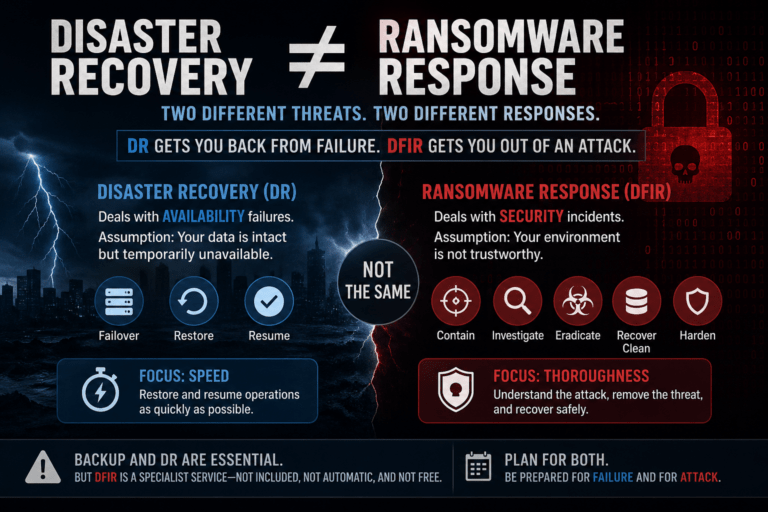
For years, organisations have trusted platforms like Veeam Software to deliver reliable backup and fast recovery. And from an operational standpoint, that trust is well placed. But modern ransomware isn’t targeting your ability to restore infrastructure—it’s targeting your ability to trust your data.
That’s the line between operational recovery and cyber recovery. And it’s where many otherwise well-designed Veeam environments start to break down.
The Industry Warning Signs
Recent industry coverage is starting to reflect what many engineers already suspect: The core issue isn’t backup failure. It’s recovery integrity under adversarial conditions.
1. The Architecture Problem: Flat Backup Domains
Typical Veeam Deployment (Operationally Optimised)
- Single Veeam Backup Server
- Domain-joined infrastructure
- Backup repositories accessible over the network
- Shared identity plane (AD integration)
This works perfectly for:
- VM restores
- File-level recovery
- DR failover
Why It Fails Under Attack
In a ransomware scenario:
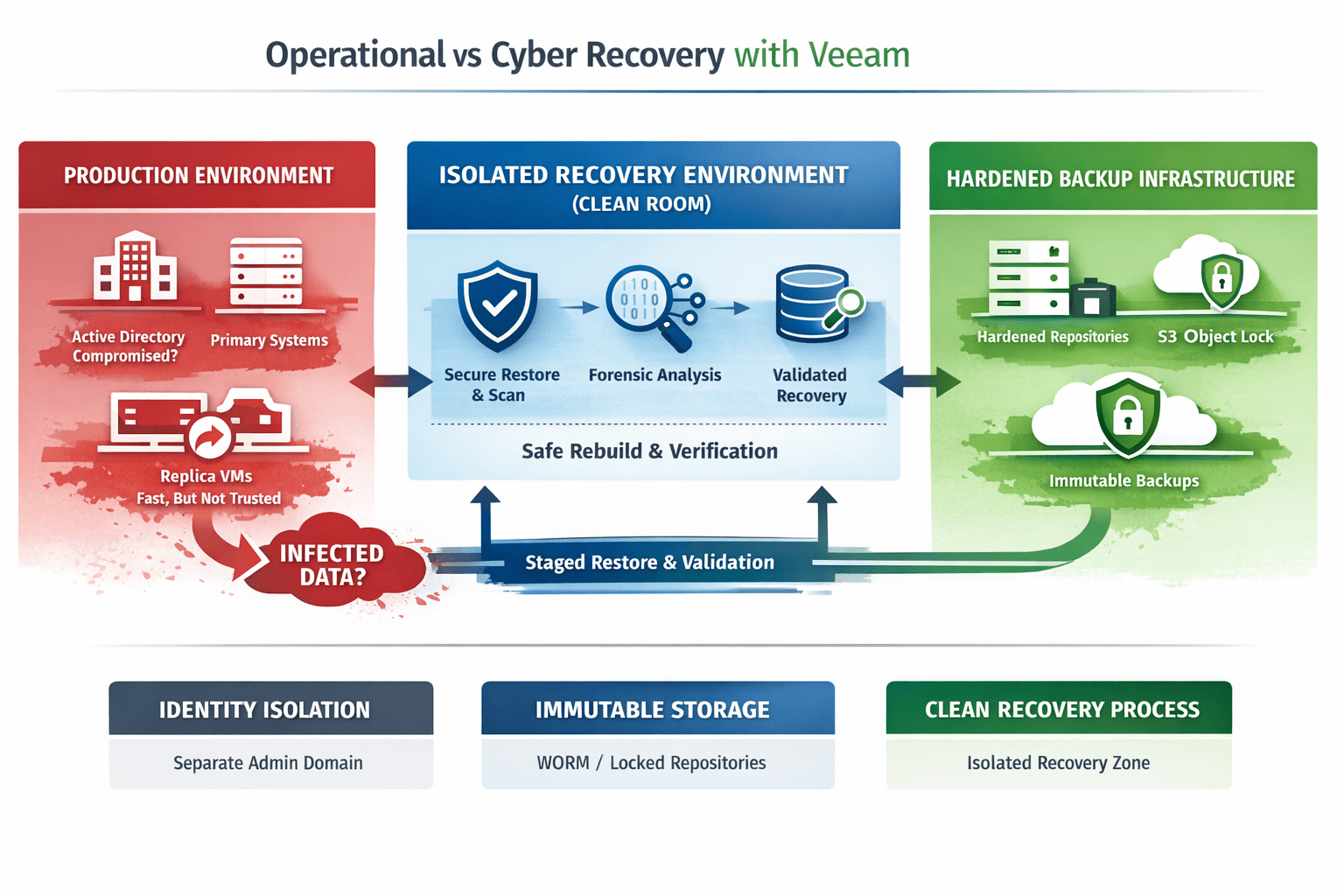
- Active Directory is often compromised early
- Attackers escalate privileges → gain backup admin rights
- Backup jobs, repositories, and restore points become accessible
At that point:
- Backups can be deleted
- Immutability can be circumvented (if misconfigured)
- Restore points can be corrupted silently
👉 The issue isn’t Veeam—it’s shared trust boundaries
2. Immutability: Implementation vs Reality
Veeam supports immutability via:
- Hardened Linux repositories
- Object storage with Object Lock (S3-compatible)
But there’s a critical distinction:
“Configured Immutability”
- Flag enabled
- Retention set
- Appears compliant
“Enforced Immutability”
- No root-level tampering
- No credential reuse
- No backdoor deletion paths
Hardened Repository (What Actually Matters)
A properly secured Veeam hardened repo should include:
- Dedicated Linux host (not domain joined)
- SSH disabled or restricted
- Single-use credentials during deployment
- Immutable flag enforced via
chattr +i(under the hood) - No direct internet access
- Firewall restricted to Veeam components only
👉 If an attacker can gain root, immutability is gone.
Object Storage (S3 Object Lock)
Using S3-compatible storage with Object Lock:
- Write-once-read-many (WORM) enforcement
- Retention policies enforced at storage layer
- Protection even if Veeam is compromised
But common pitfalls:
- Object lock not enabled at bucket creation
- Short retention windows
- Same credentials used across environments
Key takeaway:
Immutability is only as strong as your identity and access model.
3. Identity: The Real Attack Surface
Modern attacks don’t “hack backups”—they log into them.
Common Exposure Points
- Veeam service accounts with domain privileges
- Backup admins tied to corporate identity
- Lack of MFA on backup console
- Reused credentials across infrastructure
What a Secure Model Looks Like
- Separate identity domain (or no domain) for Veeam
- MFA enforced on all admin access
- Privileged Access Workstations (PAWs) for backup admins
- No trust relationship with production AD
👉 If your backup platform trusts production identity, it inherits its compromise.
4. Clean Recovery: The Missing Layer
Veeam excels at restoring data.
But cyber recovery requires controlled reintroduction of that data.
Clean Room Architecture (Using Veeam)
A proper cyber recovery flow:
- Isolated Recovery Environment
- No outbound trust
- No domain connectivity
- Segmented network
- Staged Restore via Veeam
- Restore VM or data into clean room
- No direct production restore
- Validation Layer
- Malware scanning
- Behavioural analysis
- Integrity checks
- Controlled Promotion
- Rebuild identity services first
- Gradually reintroduce workloads
👉 Veeam provides the restore capability—but not the decision-making layer around trust.
5. Backup Testing vs Recovery Validation
Most Veeam environments test:
- SureBackup jobs
- Instant VM Recovery
- Restore performance
These are valuable—but incomplete.
What Cyber Recovery Testing Should Include
- Restore from known compromised timelines
- Identify last clean restore point
- Validate:
- No persistence mechanisms
- No lateral movement artefacts
- Simulate full rebuild:
- AD restore
- Application stack recovery
- Network reintegration
👉 The question shifts from:
“Did it restore?”
To:
“Is it safe to restore?”
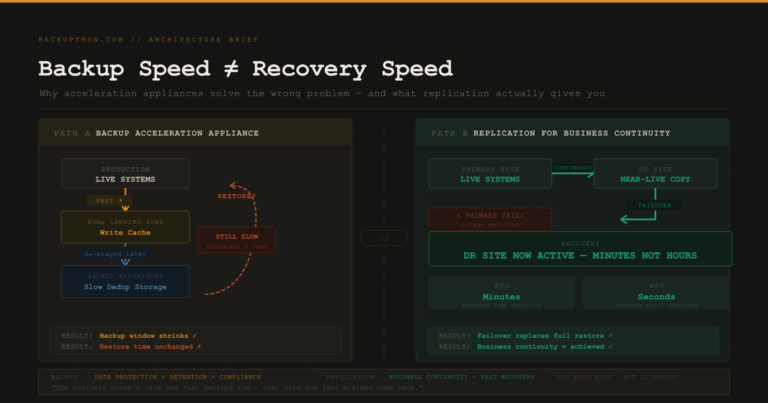
6. Replication vs Backup: A Critical Distinction
Many environments rely on Veeam replication for fast recovery.
Operationally:
- Excellent RTO
- Near-instant failover
Under Cyber Attack:
- Replicates corruption and encryption instantly
- Eliminates clean recovery points
Recommended Approach
- Use replication for availability
- Use immutable backups for recovery
- Never assume replicated workloads are clean
7. Minimum Viable Recovery (MVR) with Veeam
In a cyber event, restoring everything is:
- Slow
- Risky
- Often unnecessary
A Better Model
Define:
- Tier 0: Identity (AD, DNS, IAM)
- Tier 1: Core business systems
- Tier 2: Everything else
Recovery Flow
- Restore identity in isolation
- Validate and secure
- Restore critical apps
- Gradually expand
👉 Veeam orchestration can support this—but only if the recovery plan is designed this way
The Bottom Line
Veeam is one of the most capable platforms in the market.
But capability ≠ outcome.
Veeam deployed for backup delivers operational recovery
Veeam deployed with security architecture delivers cyber resilience
Final Thought
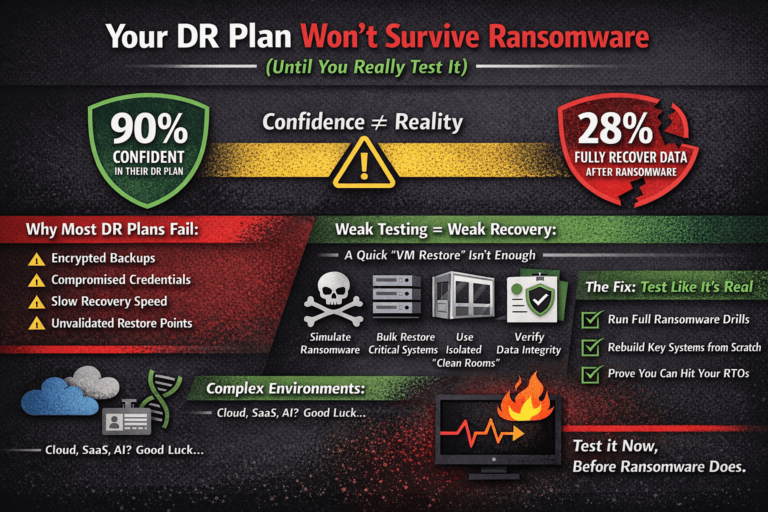
Most environments don’t fail because backups didn’t run.
They fail because:
- Identity was compromised
- Immutability was bypassed
- Recovery wasn’t validated