There Is No Restore Point: What You Can and Cannot Recover in Entra ID
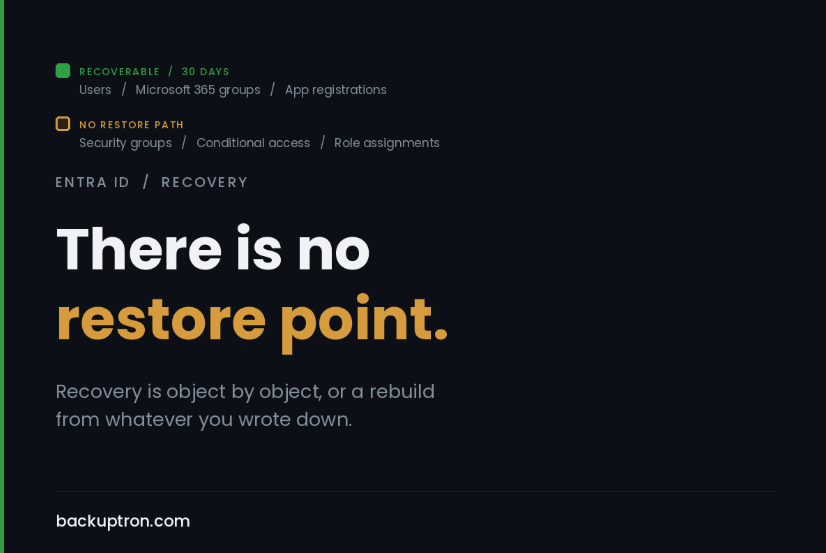
Delete a security group in Entra ID and it is gone. Permanently. No recycle bin, no thirty day window, no support ticket that brings it back.
Microsoft 365 groups are recoverable for thirty days. Security groups and distribution groups are not. Most people assume the recycle bin covers all of them, and there’s no particular reason they’d think otherwise.
That gap matters more than it sounds, because security groups are what a great many estates use to drive licence assignment and application access. Recreating the group takes seconds. Reconstructing who was in it is the hard part, and if the only record of that membership was the group itself, then there is no record.
the assumption underneath all of this
Most people, if you ask them, will tell you their tenant is backed up. What they mean is that Microsoft runs the service and Microsoft is very good at running services, both of which are true and neither of which is what they think it is.
Microsoft protects the platform. They are not protecting you from your own administrators, your own automation, or anybody who gets hold of a privileged account. That distinction is written down clearly enough in the shared responsibility material, and it still lands as news in the room when it matters.
The sharper version of the point is this. There is no tenant restore point. You cannot roll Entra ID back to Tuesday. Nothing in the product does that, and no third party product does it either, whatever the marketing suggests. Recovery is object by object, or it’s a rebuild from whatever you happened to write down.
what you actually get back
Short list, and worth knowing precisely rather than approximately.
Deleted users are recoverable for thirty days, then they’re gone.
Microsoft 365 groups, same thirty days. Security groups and distribution groups, as above, are not recoverable at all.
App registrations are soft deleted for thirty days. The registration comes back. The client secrets and certificates do not, so anything consuming them needs new credentials issued and distributed, which in a decent sized estate is a longer job than the restore itself.
That’s roughly it.
what has no recovery at all
This is the longer list and it’s the one that should worry you.
Conditional access policies. Delete one and it’s gone, with no version history to roll back to. There is no undo. If somebody modifies a policy set badly, or an attacker with the right role does it deliberately, you are rebuilding from whatever documentation happens to exist.
Named locations, authentication methods policy, cross tenant access settings, administrative units, entitlement management configuration, PIM role settings, directory role assignments. None of it has a restore path.
And your audit trail is shorter than you’d like. Entra keeps sign in and audit logs for thirty days on the paid tiers and less on free. If you find out in November that something was changed in August, the record of who did it has already aged out unless you were shipping those logs somewhere yourself.
That last one catches people during incident response far more often than it should.
what third party tools actually do
They’re worth having, and I want to be accurate about what you’re buying, because the category gets described in language borrowed from VM backup and the mechanics are nothing like it.
These products authenticate to your tenant and read configuration and objects through the Graph API. They store what they read. To restore, they call Graph again and recreate the object. That’s it. It’s an export and replay, not a snapshot, and the difference shows up in a few places.
Some things replay beautifully. A conditional access policy is just configuration, so getting a deleted one back is genuinely useful and genuinely fast. Group membership likewise, and that one alone justifies the licence for a lot of estates.
Some things don’t. Secrets and certificates can’t be read out of the directory in the first place, so they can’t be restored. Anything with a generated identifier that other systems depend on needs care. And a large restore is thousands of individual API calls subject to throttling, so the time it takes has more to do with Graph than with the volume of your data. I wrote about M365 restore throughput being the real constraint a while back, and the same physics applies here.
One thing I’d want any buyer to think about. The tool holds an app registration in your tenant with broad read permissions across your directory. That’s worth scrutinising, scoping tightly and monitoring, and it belongs on the list from part four of the restore testing series, the one where you write down every component holding credentials to something outside your walls.
the part that costs nothing
Before you buy anything, do this, because it covers a good share of the risk and takes an afternoon.
Export your configuration through Graph on a schedule and commit the output to a repository. Conditional access policies, named locations, role assignments, group memberships for anything that drives licensing or access, app registration metadata. All of it comes out as JSON.
Once it’s in version control you have two things you didn’t have before. A point you can rebuild from, and a diff. The diff is the underrated half. Being able to see that a policy changed on the fourteenth, and exactly what changed, is worth more on an average Tuesday than the restore capability is.
While you’re at it, send your Entra audit and sign in logs somewhere with a longer retention than thirty days. Log Analytics, your SIEM, anywhere at all. The cost is small and the day you need it you will need it badly.
I was slow to this one myself. For a long time I treated tenant configuration as something that lived in the tenant, which is obviously circular when you say it out loud, and I’d never have described a portal screenshot in a Word document as a backup. Plenty of organisations are running on exactly that.
something to start from
Here’s the bones of it. Read only, one JSON file per object type, fixed filenames so that successive runs diff cleanly against each other.
#Requires -Modules Microsoft.Graph

param(
    [string]$OutputPath = '.\entra-config',
    [switch]$SkipGroupMembership
)

$ErrorActionPreference = 'Stop'

Connect-MgGraph -NoWelcome -Scopes @(
    'Directory.Read.All'
    'Policy.Read.All'
    'Application.Read.All'
    'RoleManagement.Read.Directory'
)

New-Item -ItemType Directory -Path $OutputPath -Force | Out-Null

function Export-Config {
    param(
        [Parameter(Mandatory)][string]$Name,
        [Parameter(Mandatory)][scriptblock]$Fetch
    )
    try {
        $data = & $Fetch
        $data | ConvertTo-Json -Depth 20 |
            Set-Content -Path (Join-Path $OutputPath "$Name.json") -Encoding UTF8
        Write-Host ('{0,-30} {1,6} object(s)' -f $Name, ($data | Measure-Object).Count)
    }
    catch {
        Write-Warning "$Name failed: $($_.Exception.Message)"
    }
}

Export-Config 'conditional-access-policies' {
    Get-MgIdentityConditionalAccessPolicy -All | Sort-Object Id
}
Export-Config 'named-locations' {
    Get-MgIdentityConditionalAccessNamedLocation -All | Sort-Object Id
}
Export-Config 'authentication-methods-policy' {
    Get-MgPolicyAuthenticationMethodPolicy
}
Export-Config 'groups' {
    Get-MgGroup -All | Sort-Object Id
}
Export-Config 'applications' {
    Get-MgApplication -All | Sort-Object Id
}
Export-Config 'service-principals' {
    Get-MgServicePrincipal -All | Sort-Object Id
}
Export-Config 'administrative-units' {
    Get-MgDirectoryAdministrativeUnit -All | Sort-Object Id
}
Export-Config 'directory-role-assignments' {
    Get-MgDirectoryRole -All | Sort-Object Id | ForEach-Object {
        [pscustomobject]@{
            RoleId      = $_.Id
            DisplayName = $_.DisplayName
            Members     = (Get-MgDirectoryRoleMember -DirectoryRoleId $_.Id -All |
                            Select-Object -ExpandProperty Id | Sort-Object)
        }
    }
}

if (-not $SkipGroupMembership) {
    Export-Config 'group-membership' {
        Get-MgGroup -All | Sort-Object Id | ForEach-Object {
            [pscustomobject]@{
                GroupId         = $_.Id
                DisplayName     = $_.DisplayName
                SecurityEnabled = $_.SecurityEnabled
                MembershipRule  = $_.MembershipRule
                Members         = (Get-MgGroupMember -GroupId $_.Id -All |
                                    Select-Object -ExpandProperty Id | Sort-Object)
            }
        }
    }
}

Disconnect-MgGraph | Out-Null
The sorting is not decoration. Graph will hand you objects in a different order between runs, and without it every file looks changed on every commit and the diff becomes useless.
Now the parts I’ve deliberately left out, because this is a head start rather than a product.
Group membership is one Graph call per group, which is slow on a large tenant and will meet throttling. Filter it to the groups that actually drive licensing and access and you lose nothing that matters.
Members come out as object IDs. Resolve them to UPNs if you want the file to be any use to a human at two in the morning.
There’s no PIM configuration, entitlement management, cross tenant access settings or per application assignment in there. All of it is available through Graph and all of it is worth adding once the basics are running.
And it signs in interactively, which is fine for a first run and no use on a schedule. For that, swap in an app registration with certificate authentication and the same read-only scopes, and then apply the scrutiny I mentioned above to the thing you’ve just created.
Take it, break it, make it yours. The version that fits your tenant is worth ten times the version that fits mine.
restoring configuration does not evict anybody
Worth separating, because these two things get conflated and they shouldn’t be.
If you’ve had a compromise involving a privileged account, restoring your conditional access policies to a known good state is a reasonable thing to do. It is not the same as getting the attacker out, and doing it first can give everyone a false sense that the problem is handled.
Identity persistence doesn’t live in the objects you’re restoring. It lives in credentials added to an existing service principal, in an app registration with Graph permissions that looks legitimate enough, in an added owner on something nobody reviews, in a federated domain that shouldn’t be there, and in refresh tokens that are still valid. Deleting the account that was used doesn’t touch any of it.
So the sequence is eviction first, then configuration restore. Revoke sessions, rotate service principal credentials, review app registrations along with their owners and permissions, check federation settings, then put your policies back.
If that sounds like more work than a restore, it’s because it is. The restore is the easy end of this.
this month
Two things.
Find out today whether any security group in your tenant drives licensing or access, and whether you have an export of its membership anywhere. If the answer to the second part is no, that’s an afternoon of scripting and it’s the cheapest insurance on this page.
Then pull your conditional access policies as JSON and put them somewhere versioned. Even manually, even once. A single export sitting in a repo is infinitely better than the zero exports most estates have, and it makes the scheduled version easy to justify later.
the useful bit
The reason this keeps catching competent teams is that the word backup carries an assumption with it. Backup implies a point in time and a rollback, and neither of those exists here.
What exists is a directory you can describe and rebuild. That’s a documentation discipline more than a backup one, it’s mostly free, and it’s the thing almost nobody has when they need it.